

Loan Bulk Actions
Last updated March 1, 2026
Bulk Actions let you manage multiple loans at once directly from the Loans page - including generating statements, making repayments, redeeming loans, closing loans, and deleting loans.
First Step: Select Loans for Bulk Actions
- Go to Loans.
- Select the loans you want to act on:
- Select individual loans using the checkboxes.
- Select all loans in a stage (e.g., Active):
- Select all visible records on the page (e.g., “Select all 20 records”)
- Click Select All Records to apply the action across the entire stage.
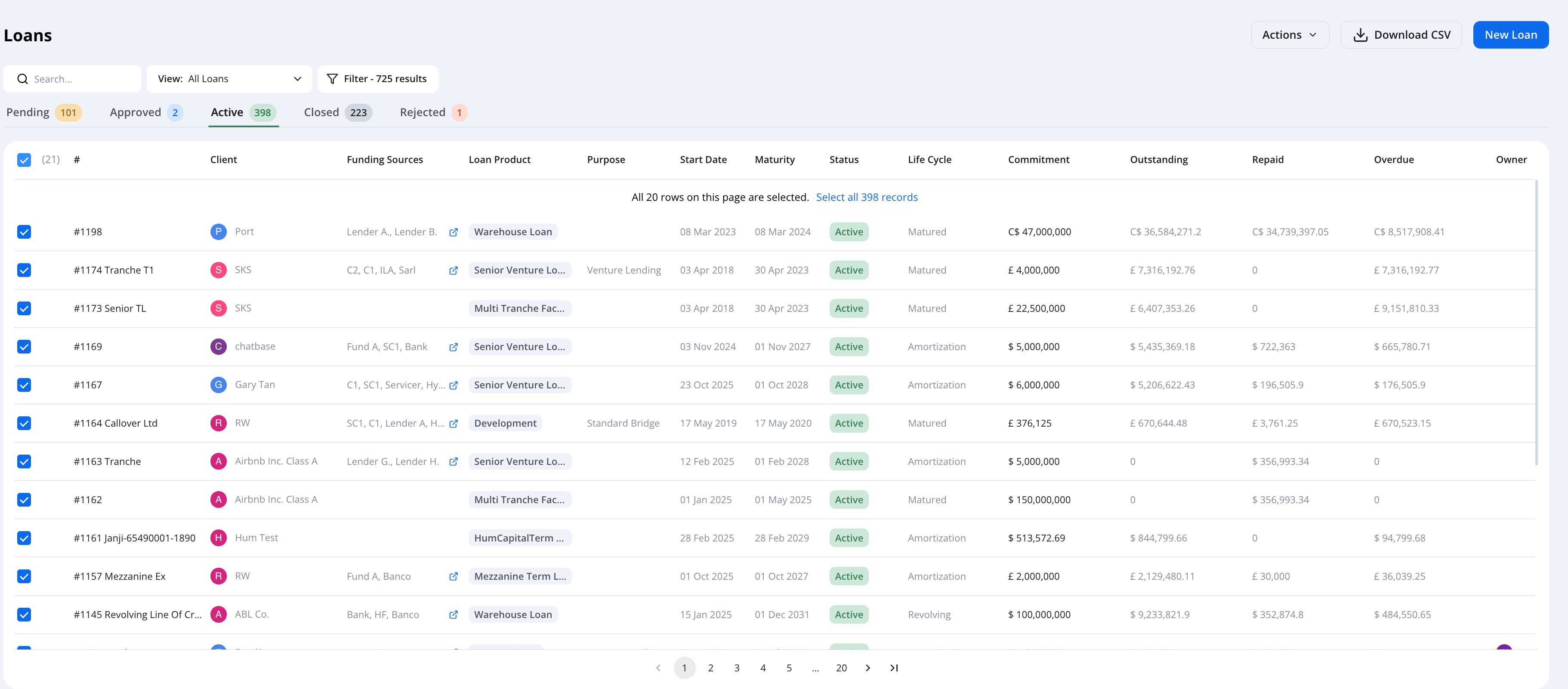
- Once loans are selected, the Actions menu becomes available.
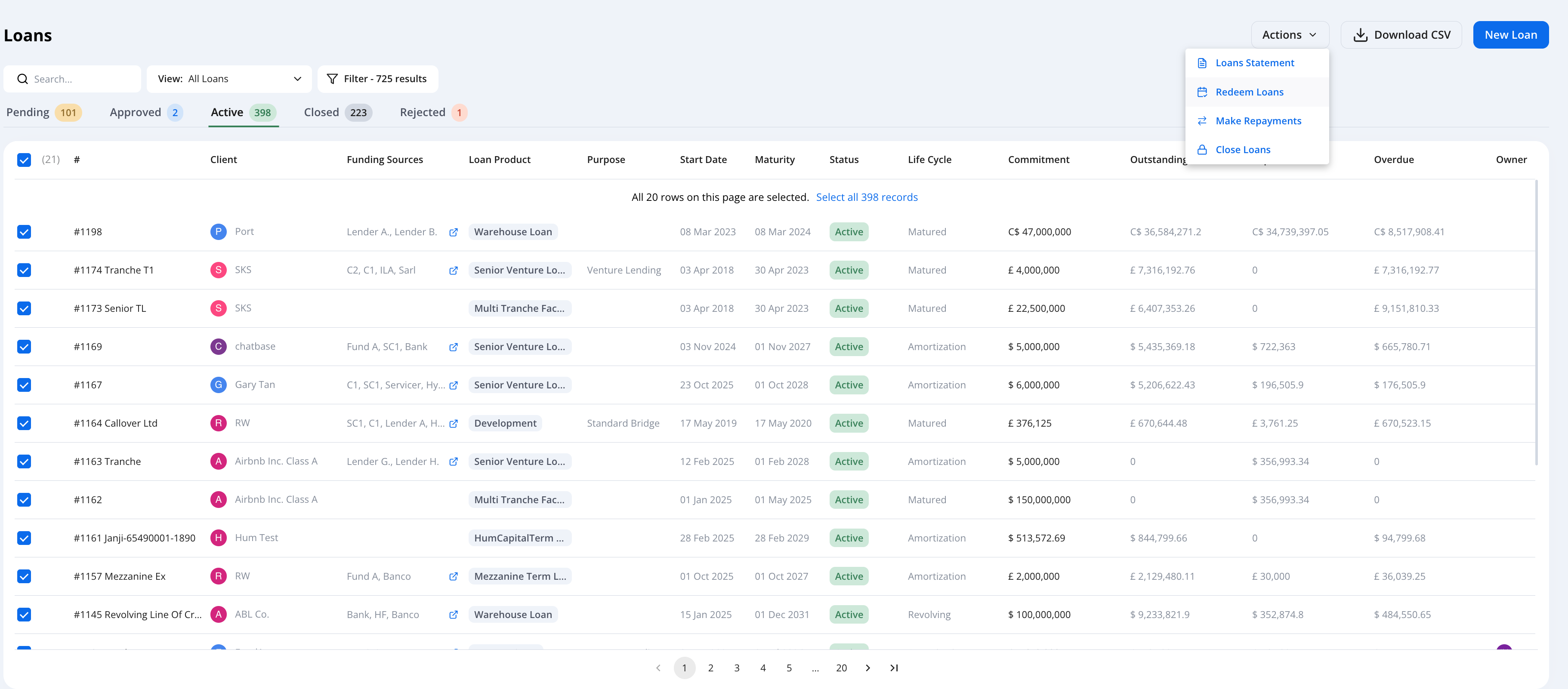
Bulk Action Types
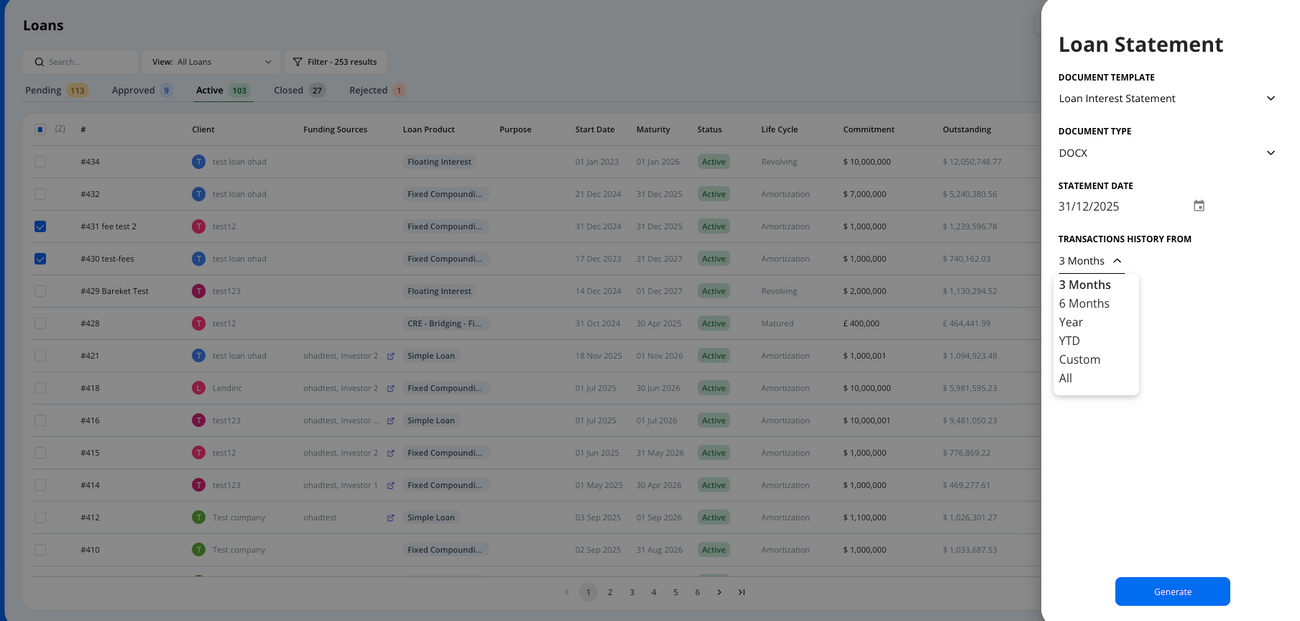
Generate Bulk Loan Statements
Statements are generated for all selected loans using the same parameters
- Select loans
- Click Actions → Loans Statement
- Configure the Statement:
- Document Template - Choose a preconfigured statement template in your account
- Statement Date - Select the date the statement should be generated for
- Transaction History - If transactions are included, choose the history window (e.g., 3 months, 6 months, Year, YTD)
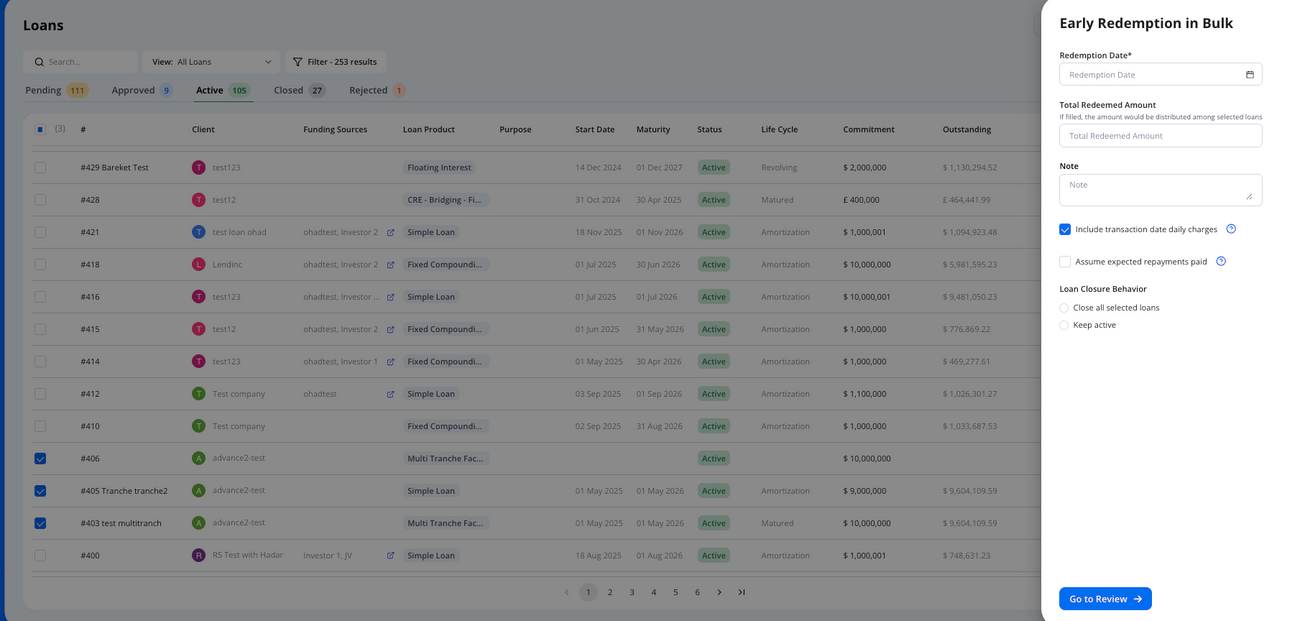
Early Redemptions
Redeem loans before maturity in bulk.
- Select loans
- Click Actions → Redeem Loans
- Configure the Transaction:
- Redemption date
- Total Redeemed Amount (Optional)- Select an amount to distribute across the selected loans.
- Repayment Breakdown Strategy – Apply to total amount (including any Interest, PIK, Fees) or nominal principal only.
- Distribution method
- Pro Rata - Distributes proportionally across all selected loans
- FIFO (First In, First Out) - Applies payment to the first selected loan, then continues to the next loans until the amount is utilized.
If an outstanding balance remains after the transaction, the system will treat it as a repayment (not an early redemption).
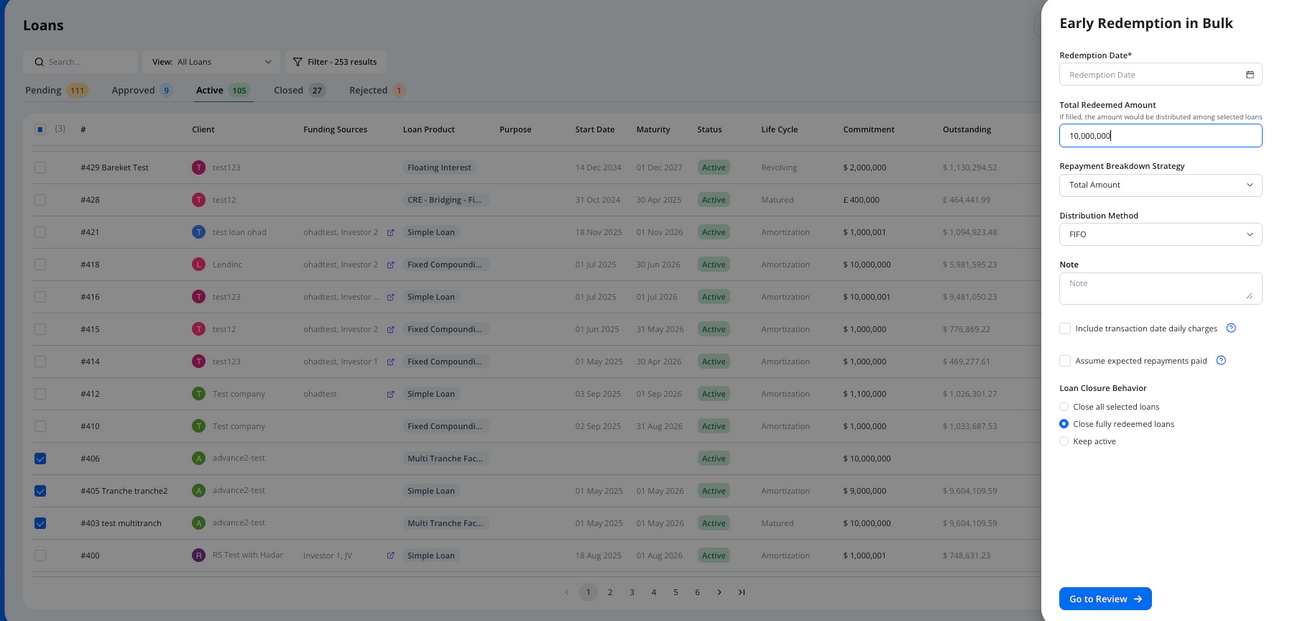
- Include transaction date daily charges – Includes daily interest/fee accruals for the transaction date.
- Assume expected repayments paid – Assumes expected repayments were paid as scheduled.
- Loan closure behavior – Keep loans active, automatically close all selected loans, or close fully redeemed loans.
Close Loans
Close active and approved loans
- Select loans
- Click Actions → Close Loans
- Configure closure:
- Close date - Select Close date
- Note - Add reasoning or comments for loan closure
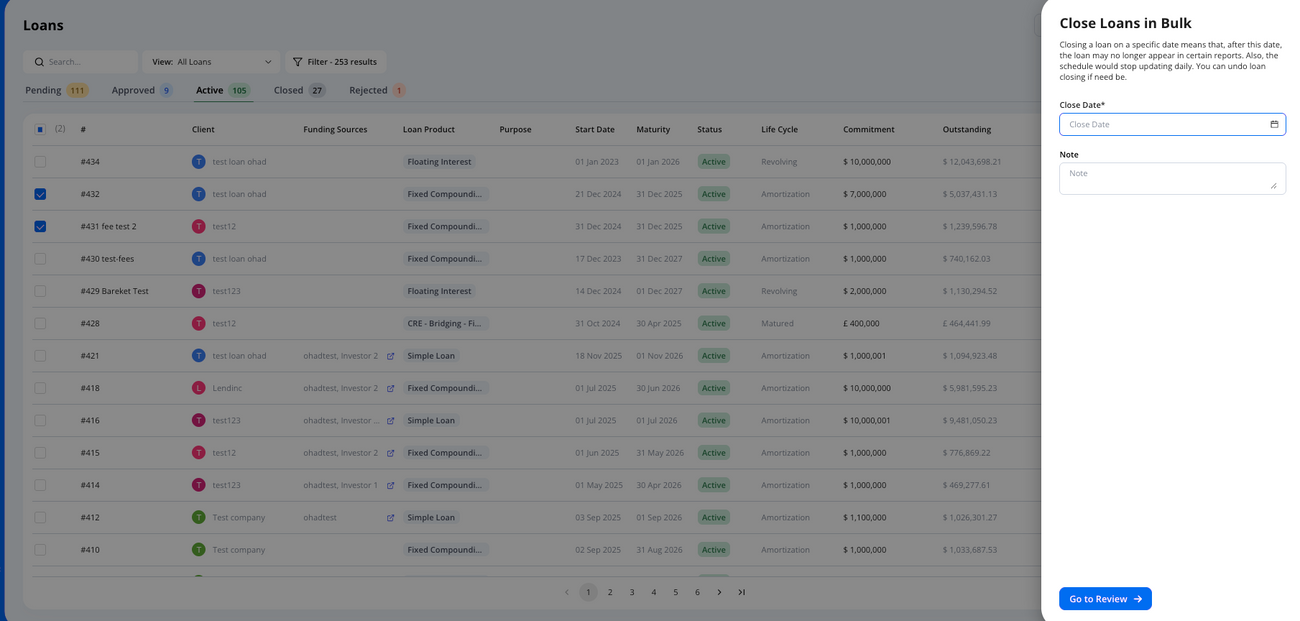
- Available only for active and approved loans
- The closing date is used for reporting - make sure it’s accurate.
Delete Loans
Delete pending, approved, or closed loans.
- Select loans
- Click Actions → Delete Loans
- Configure deletion:
- Note - Add reasoning or comments for the deleted loan
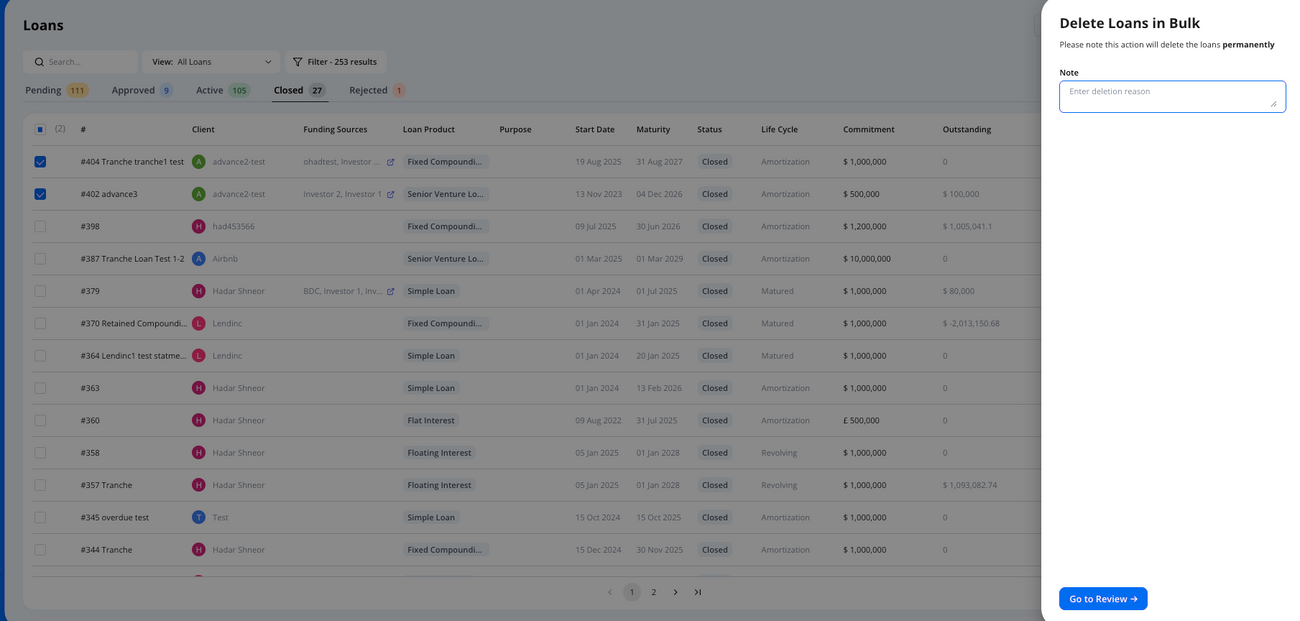
- Delete Available for pending, approved, or closed loans only.
- Deleted loans cannot be recovered.
- For deleting active loans, close them first.
Make Repayments - detailed example
Apply repayments across multiple loans in a single action according to the loans expected repayments.
- Select loans
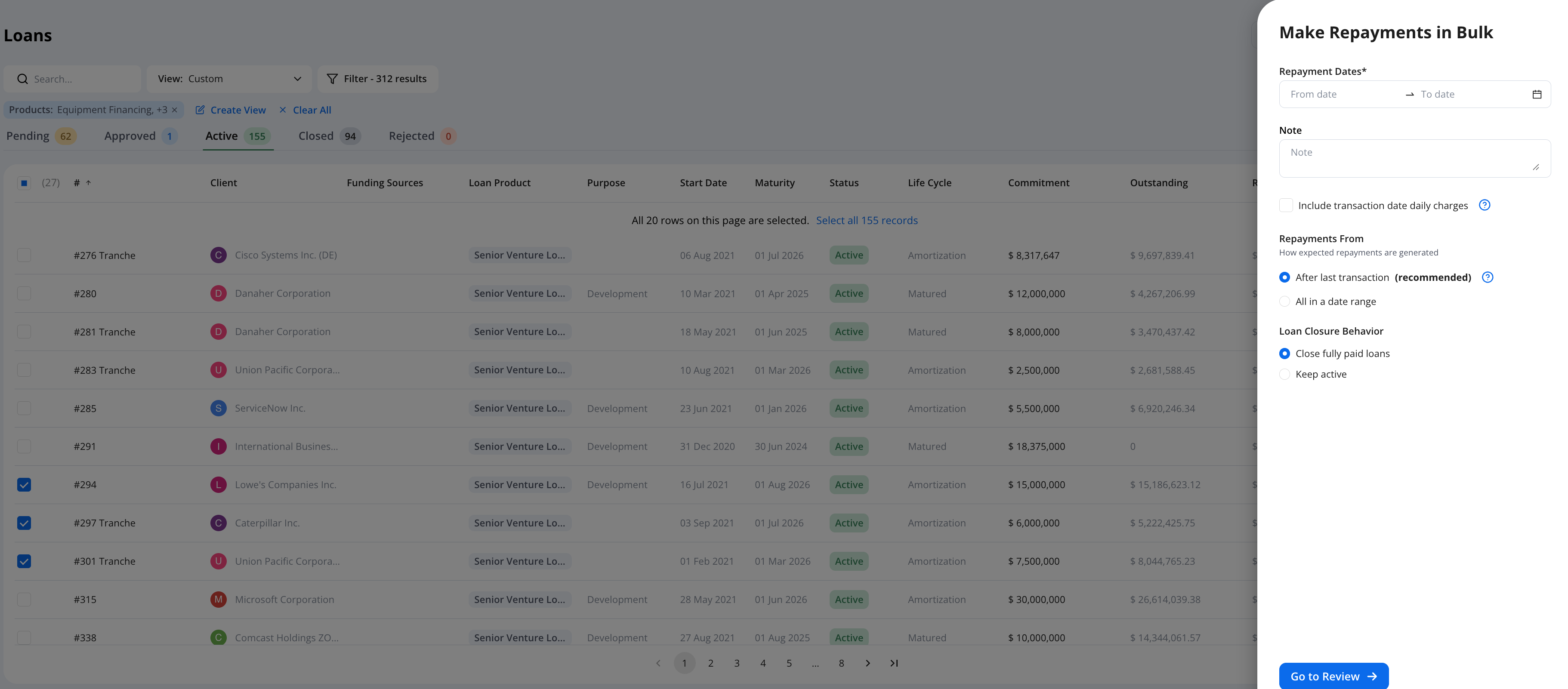
- Click Actions → Make Repayment
- Configure Transactions:
- Repayment timeframe (e.g., last 30 days)
- Include transaction date daily charges- This will include daily accruals for both interest and fees within the transaction repayment.
- Repayments from-
- Apply all relevant repayments within the selected timeframe
- Apply repayments after the last transaction (recommended - This will not create a repayment on the expected date, if a repayment already exists for that period)
- Loan closure behavior- Keep fully paid loans active or automatically close them
- Click Go to Review
- Review:
- All transactions for the selected period appear in Pending status
- Hypercore will create the repayments based on loan's expected repayments
- Edit pending transactions values if needed
- Click Make Repayments
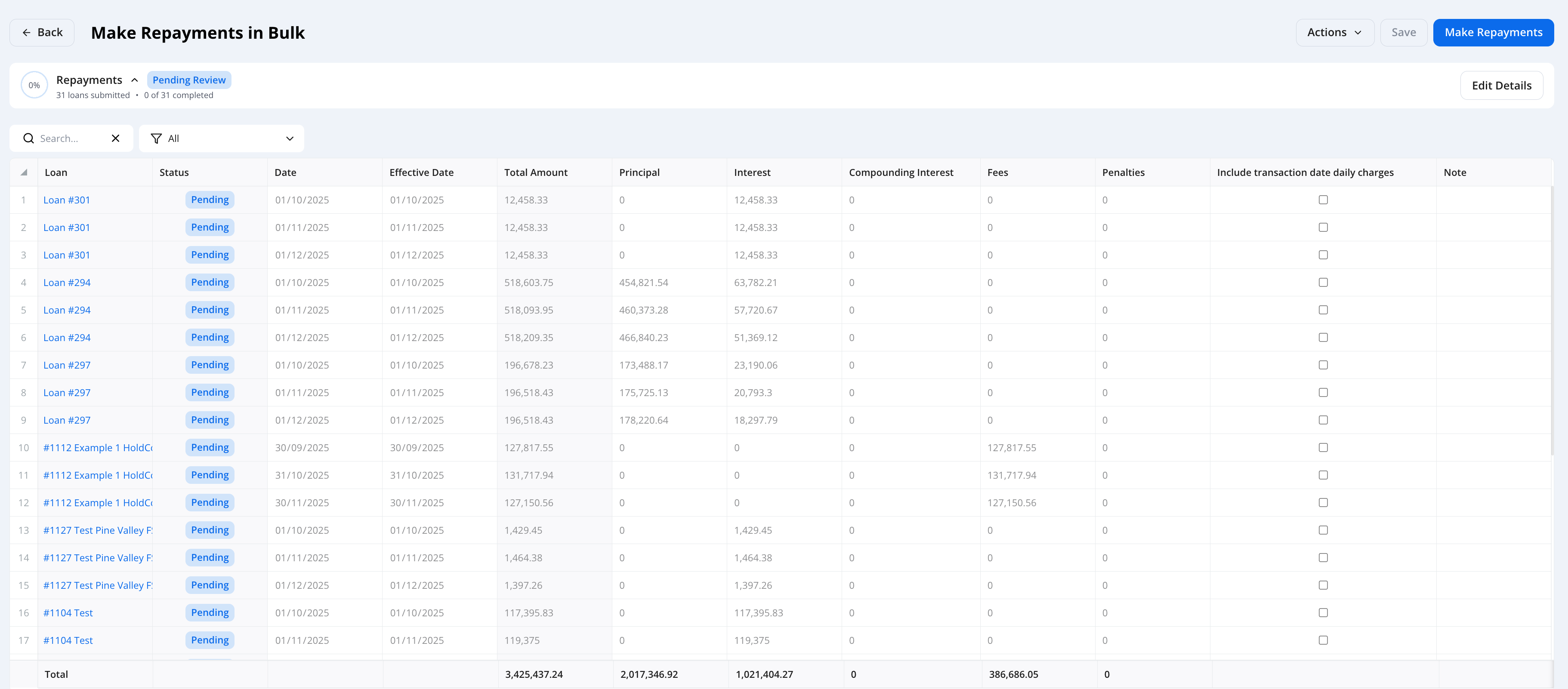
- After processing
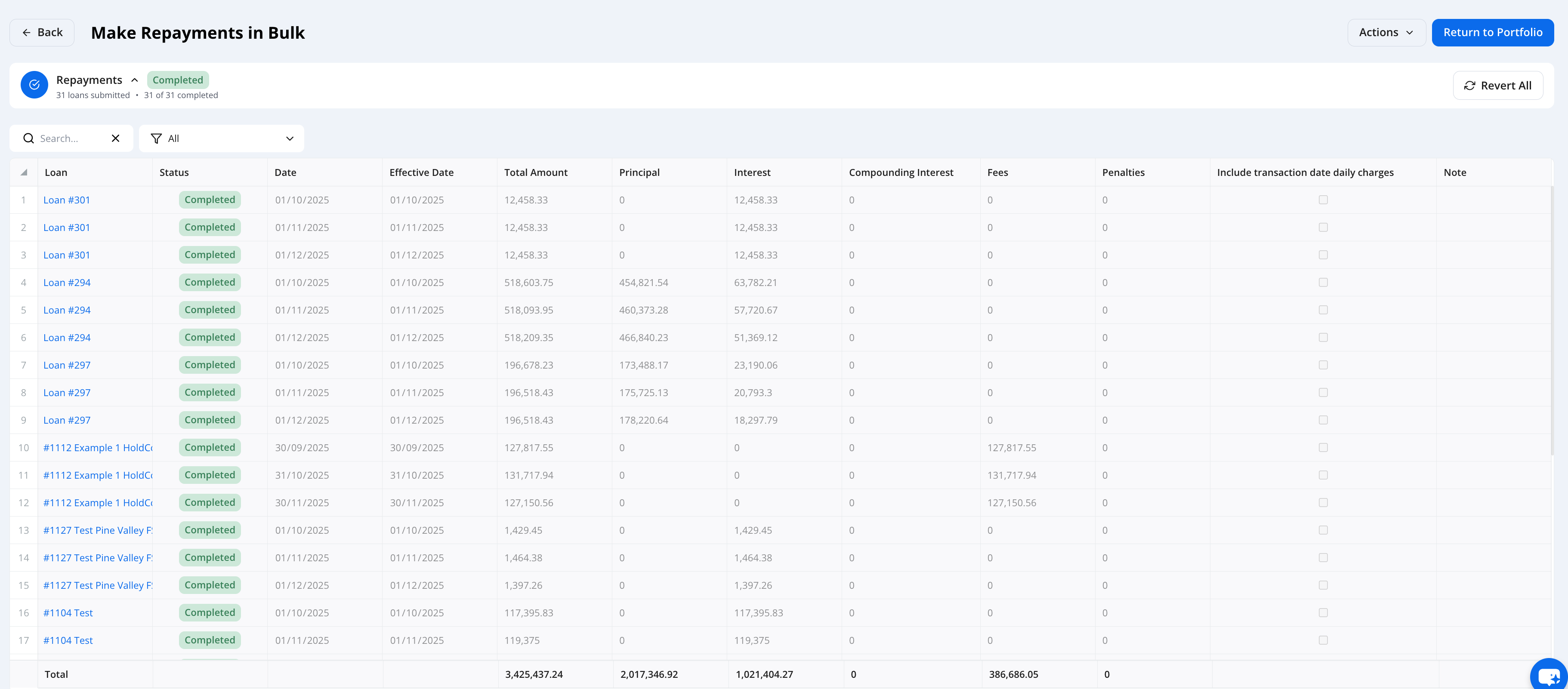
- Transactions appear on each loan’s schedule
- Loan balances and statuses update accordingly
Note transactions can be reverted if needed
Need Help?
If you have questions about bulk actions or run into any issues while managing loans, our support team is here to help- support@hypercore.ai