

Backend (BE) Fee - Creation & Update Guide
Last updated January 1, 2026
Overview – How the BE Fee Works
- The Backend Fee is configured as a single End-of-Term fee and recognized for OID
- The system automatically calculates the weighted average rate across different periods
- You do not need multiple fees - all changes are handled via rate updates
- Each rate change creates a restructure event, which is tracked and used for OID
Step 1: Create the Backend (End-of-Term) Fee
- Navigate to the Loan Fees section
- Click Add Fee
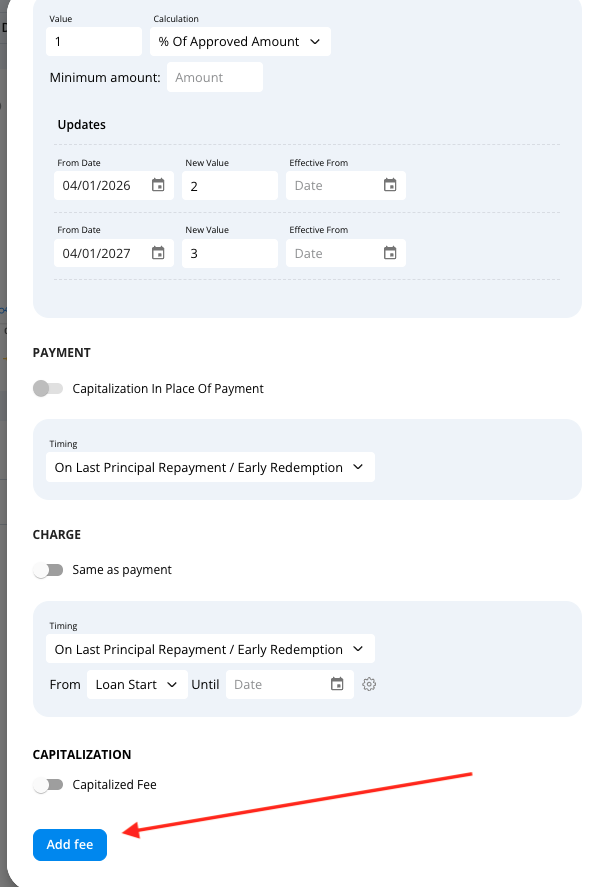
- Configure the fee as follows:
- Fee Type: EOT Fee
- Leave all default settings unchanged → The default configuration already aligns with system logic and OID handling

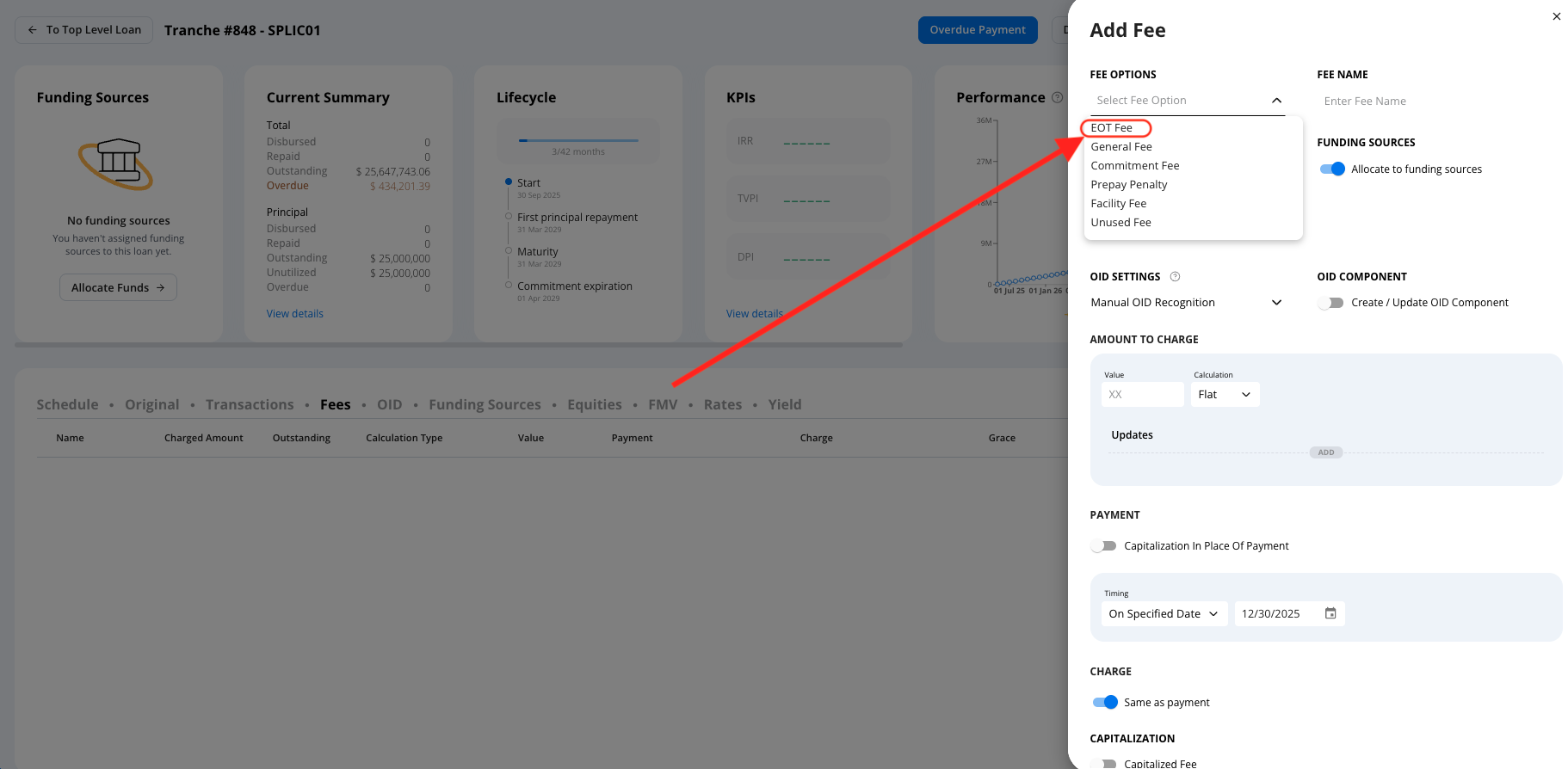
Step 2: Define the Initial Fee Rate
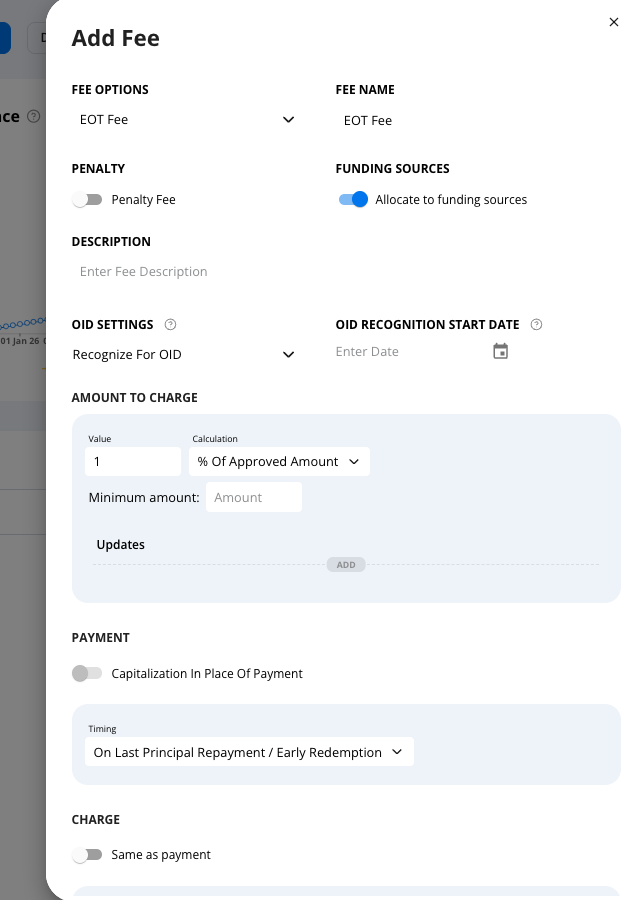
- Set the initial Backend Fee rate (for example: 1% of the approved amount)
- This rate applies starting from the loan start date
Example:
- Loan start date: April 25
- Initial BE fee rate: 1%
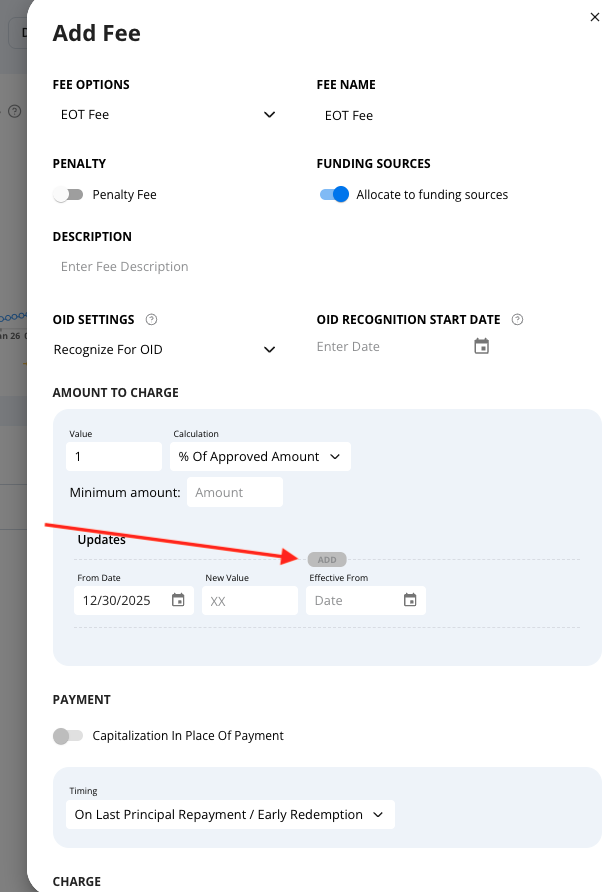
Step 3: Add Rate Changes for Different Periods
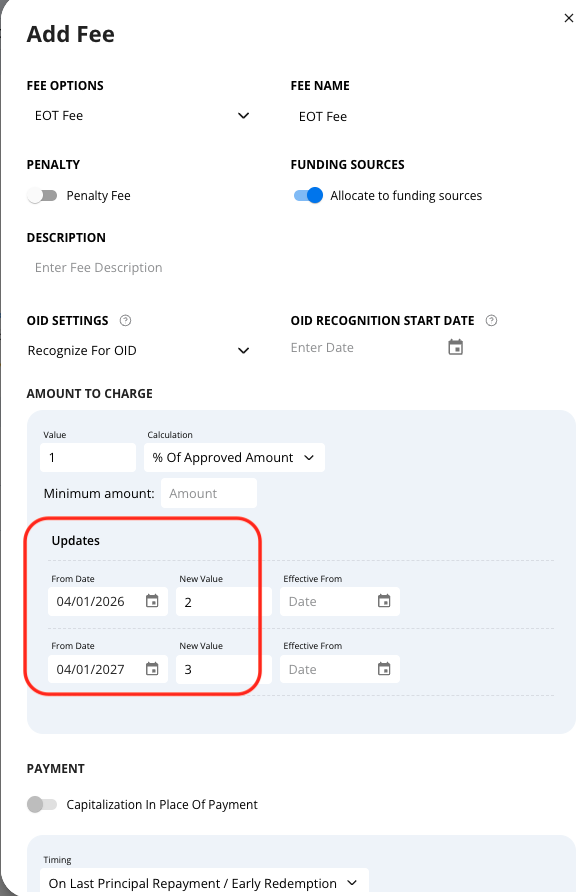
Example Timeline
First rate change
- From date: April 26
- Rate: 2% of approved amount
Second rate change (after one year)
- From date: April 27 (following year)
- Rate: 3% of approved amount
🔁 You may add as many rate changes as needed, each with its own effective date.
Step 4: (Optional) OID Effective Date Adjustments
- If required, you may define a separate Effective From date
- This is optional and only relevant when OID recognition timing should differ from the rate actual date
- In most cases, the From Date alone is sufficient
Step 5: Save the Fee
- Click Add Fee / Save
- The system will automatically:
- Recognize the fee for OID
- Apply weighted averaging across all defined periods
What Happens in the Background
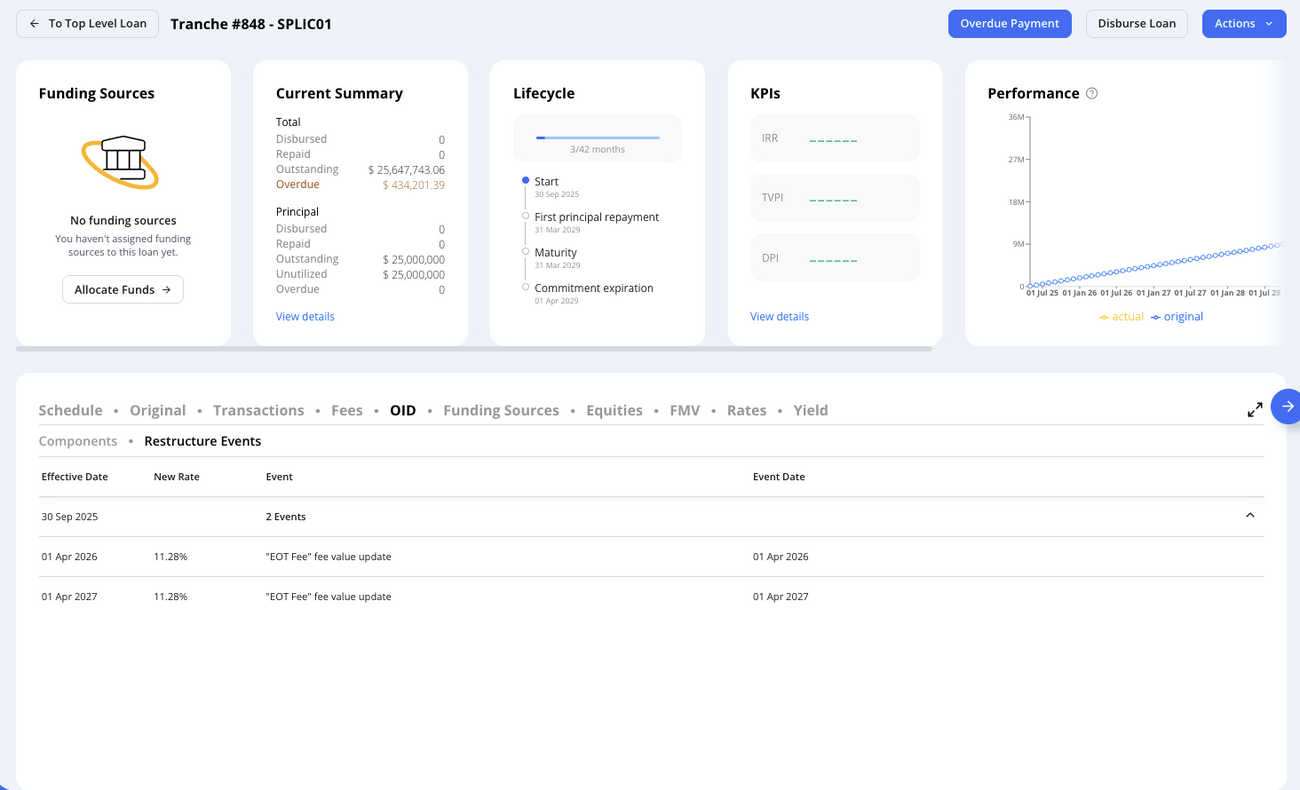
- Each rate update creates a restructure event
- Each restructure event:
- Updates the End-of-Term Fee value
- Recalculates the total OID
- You can track:
- The event date
- The updated rate
- The impact on OID
This ensures:
- Accurate weighted-average Backend Fee
- Full audibility
- Correct OID allocation across periods
Was this article helpful?